Save up to 100 positions with preview thumbnail, connect USB joystick, game controller and Stream Deck. Control up to 9* NDI® and NDI®|HX enabled cameras with your Mac Silicon.
PTZ-Director for macOS
LiveSkills, announcing its support for software-driven IP workflows using NDI®.
Joining the industry's largest IP ecosystem of products and the rapidly expanding number of companies enabling IP-based customer workflows, LiveSkills integrates NDI® and NDI®|HX into its software for monitoring and controlling NDI® sources in a standard Ethernet local area network.
NDI is a brand of the Vizrt Group and a royalty-free technology that allows video and audio sources to be shared bi-directionally across a network, eliminating the need for costly direct connections, expensive cable runs, and infrastructure upgrades while turning every source into a destination instantly available anywhere on the network.
With PTZ-Director software, the user is able to control position, exposure, and white balance of the connected NDI® and NDI®|HX enabled camera (white balance control depends on the camera type).
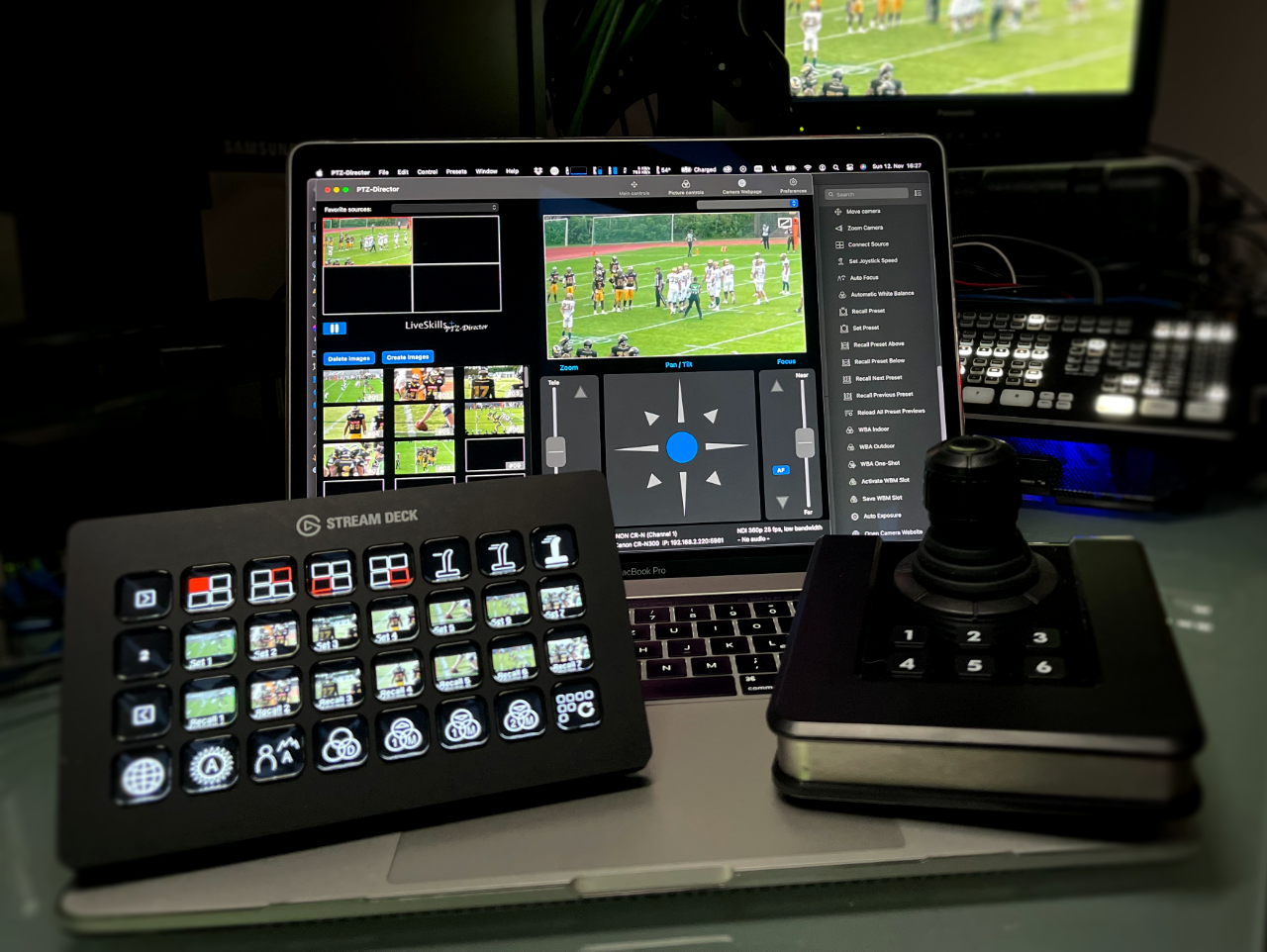
A user can connect a joystick, a game controller, and Stream Deck to his computer to control PTZ camera with hardware. Native Stream Deck and Companion Plugin available on the LiveSkills website.
Features
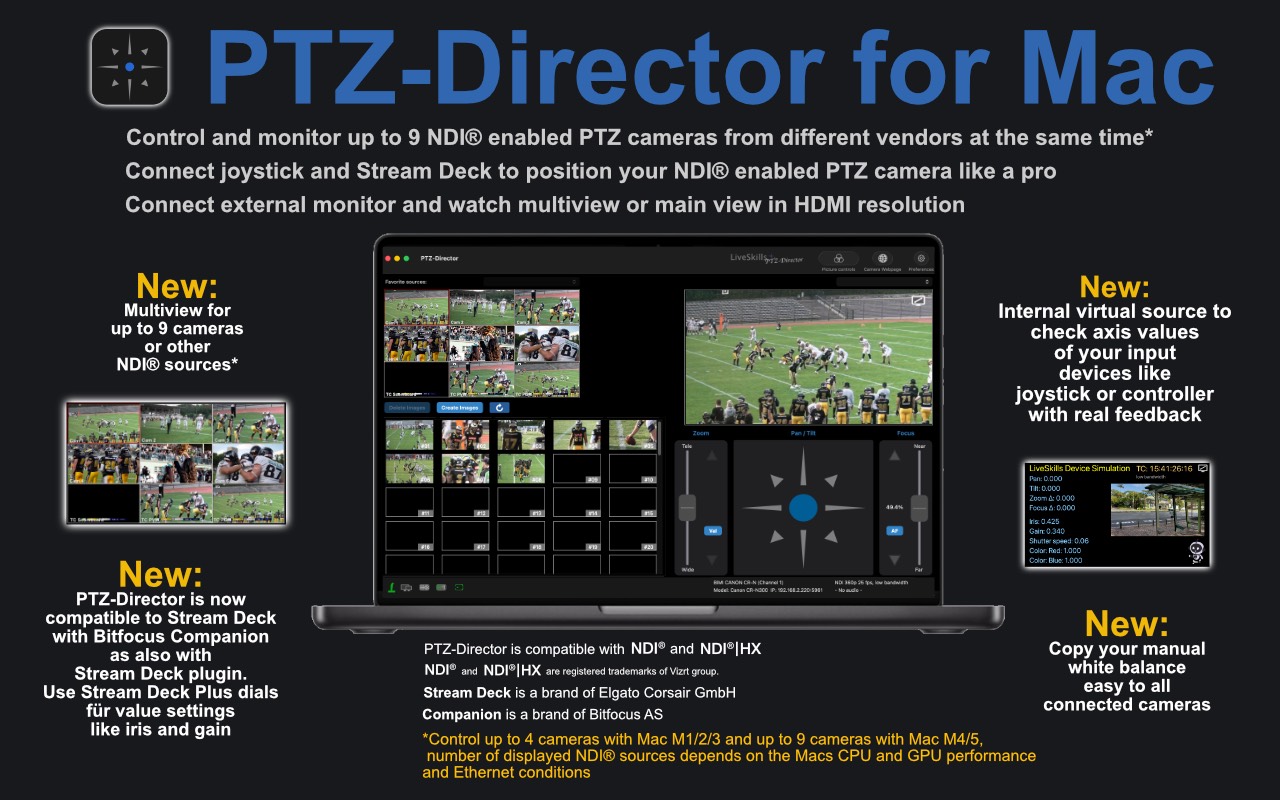
- Control and monitor up to 9* NDI® or NDI®|HX enabled PTZ cameras from different vendors at the same time, watch also NDI® sources from vision mixers or video production software. Assign camera name to every multi-view window
- Connect joystick or game controller to position your PTZ camera like a pro. New mode - connect a separate joystick or game controller for each camera
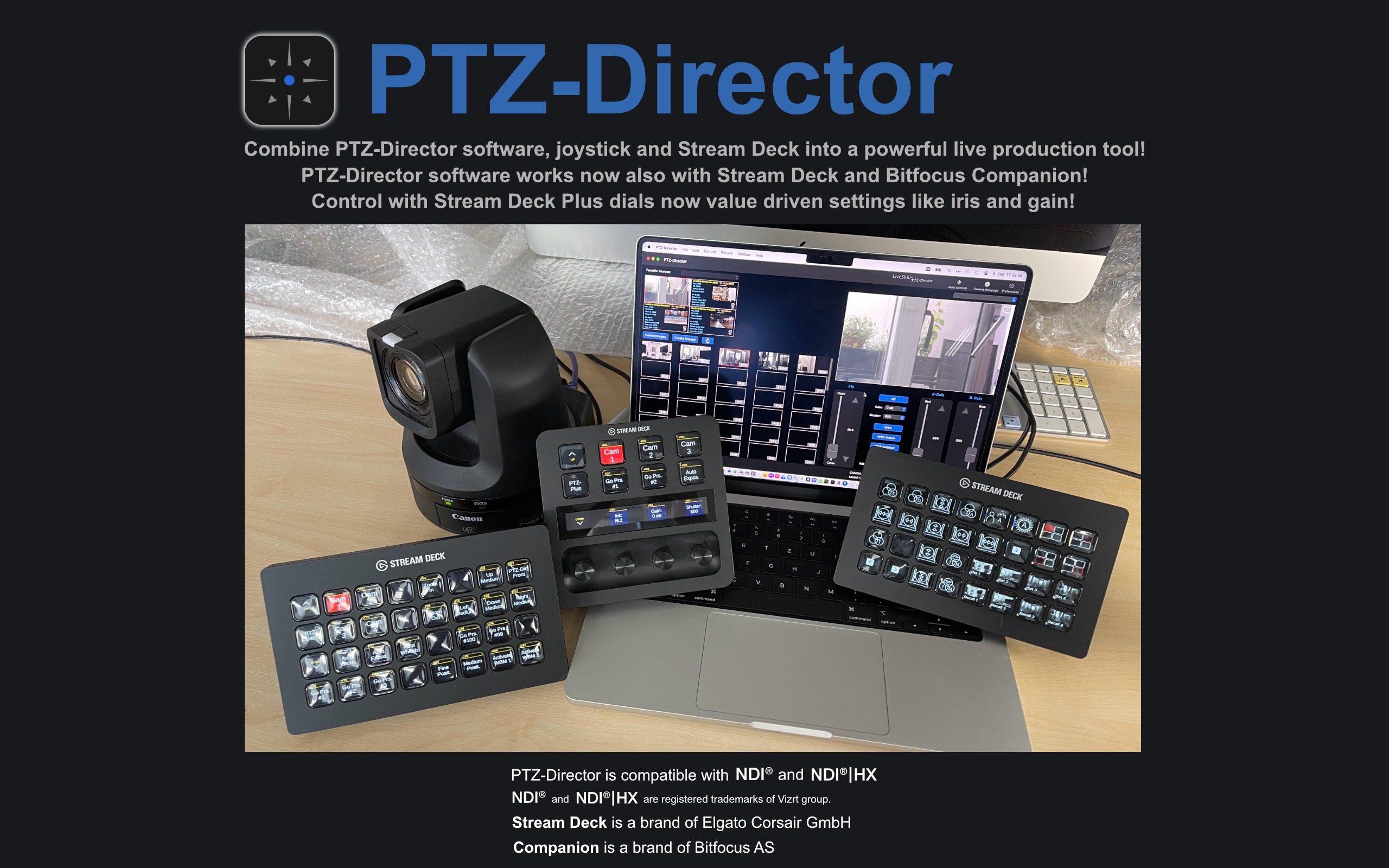
- Connect Stream Deck to work in your familiar production environment, StreamDeck Plus dials now able to assign with value-driven PTZ camera functions like Iris, Gain, Focus
- Connect external monitor and watch multi-view or main view in HDMI resolution
- Save and recall up to 100 positions for each camera with assigned preview pictures
- Control iris, gain, shutter as well as white balance for your NDI® enabled PTZ cameras (test your production environment with „PTZ-Director Connect” for free)
(*Control up to 4 cameras with Mac M1/2/3 and up to 9 cameras with Mac M4/5, number of displayed NDI® sources depends on the Mac‘s CPU/ GPU performance and Ethernet conditions)
Requires MacBook, MacBook Air or Mac Mini Silicon with macOS 15.
We strongly recommend testing the app with free “PTZ-Director Connect” in the users production environment. „PTZ-Director Connect“ for one camera is available for free on our website here.
Download PTZ Director Connect for free here
Guides, Overview and Connection Diagram
PTZ-Director is compatible with NDI® and NDI®|HX. NDI® and NDI®|HX is a registered trademark of Vizrt group. Stream Deck is a brand of Elgato Corsair GmbH. Companion is a brand of Bitfocus AS.
But wait, there is more
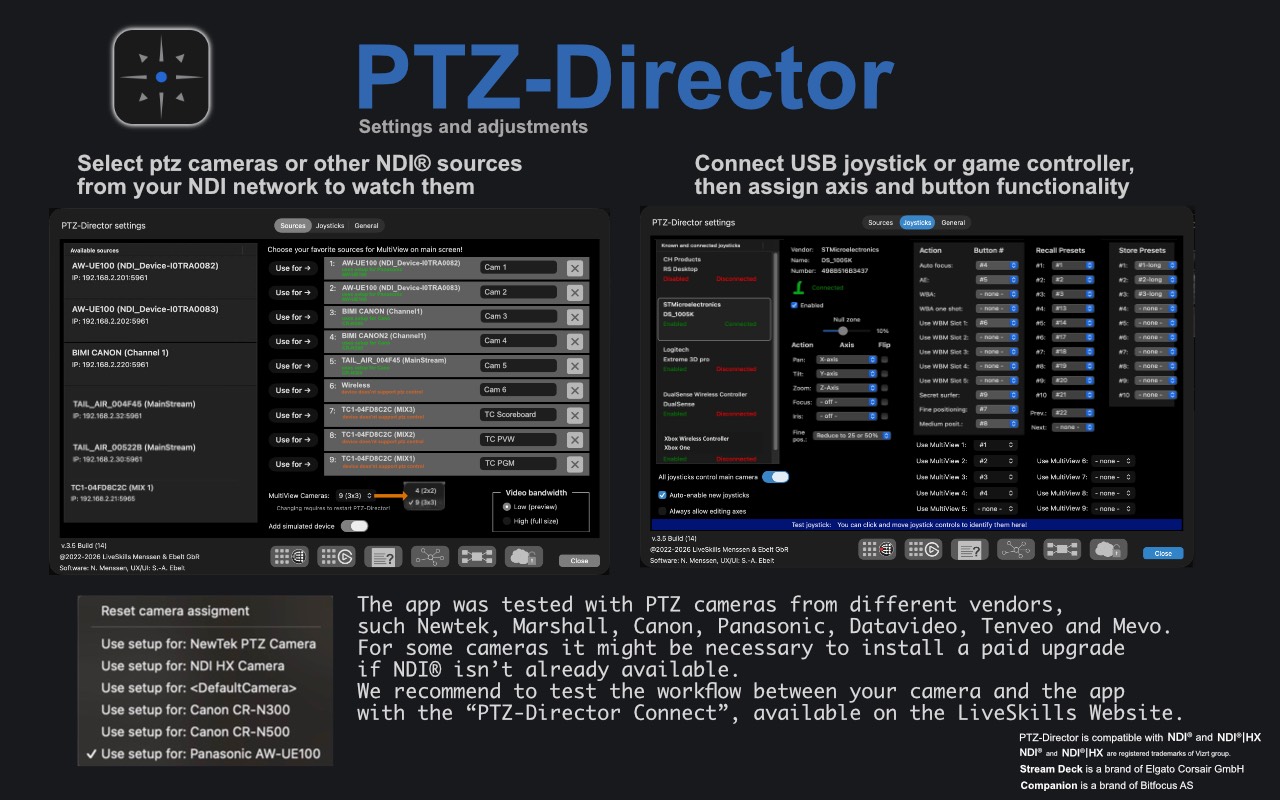
- Using a joystick or game controller, the user can set axis and button assignment in the app’s joystick settings. Also helpful - 3 determined speeds (100/50/25%) to get very gentle PTZ moves. Change over the speed from joystick or Stream Deck buttons comfortably. To get more controller buttons than physically existing they can be used twice with short or long press. USB joysticks can be connected as well as a range of Bluetooth game controllers (wireless or wired).
- NEW: Multiple joysticks or game controllers can be connected, either to control selected camera with more then one controller or to assign each camera to one joystick or game controller.
- NEW: Internal virtual source to check axis values of your input devices like joystick or controller.
- NEW: User interface zoom fader has now 2 modes, “center” a conventional zoom fader and “value” to set a zoom value in %. If a joystick is connected, its zoom axis determines the mode.
- NEW: “Secret surfer” button. We are sure, that you are very focused on your live production. But from time to time it’s necessary to check the emails or to look for new livestream equipment on the internet. With the “secret surfer button”, assigned to a joystick or game controller button, you can immediately switch back to the app if something unexpected happens on your production.
- To work with PTZ-Director in a familiar AV production environment the user can connect a Stream Deck. After installing the PTZ-Director Stream Deck plugin directly from the app, it’s possible to control nearly all functions over the Stream Deck buttons. Also the preview thumbnails will be showed in the Stream Deck buttons and synchronized with the app! Please uninstall old Stream Deck plugin and install the newest plugin to be able to use all new features as described in the Stream Deck plugin manual.
- A user can position connected NDI® enabled cameras in pan, tilt, zoom, and other optical parameters and can save up to 100 position presets for each camera.
- PTZ-Director stores small preview thumbnails associated with preset positions. Each preset slot can be deleted and saved again.
- A special feature allows recreating the previews of a range of positions or all previews fully automated without changing presets. This can be necessary after new lighting in the same production environment or after installing a new studio setup in the same place.
- To work with PTZ-Director in a familiar AV production environment, the user can connect a Stream Deck. After installing the PTZ-Director Stream Deck plugin from the LiveSkills website, it's possible to control large amount of functions over the Stream Deck buttons. The preview thumbnails will be showed in the Stream Deck buttons and synchronized with the app! Please uninstall the old Stream Deck plugin and install the newest plugin to be able to use all new features as described in the Stream Deck plugin manual. The link in the app leads directly to the download.
- Alternatively, the Stream Deck Companion plugin is available. After installing the PTZ-Director Stream Deck Companion plugin from the LiveSkills website, it's possible to control a large amount of functions over the Stream Deck buttons. The preview thumbnails will be showed in the Stream Deck buttons and synchronized with the app! Link in the app leads directly to the download.
- The native Stream Deck plugin, as well as the Companion plugin supports StreamDeck Plus dials which now able to assign with value driven PTZ camera functions like Iris, Gain, and Focus.
- In “Picture controls” (depending on camera type), the user can modify the values for iris, gain, shutter, and color.
- The app provides five user setups for each camera to save manual white balance settings. To save and recall 5 manually (with red/blue-related faders) created white balance setups is unique in PTZ-Director and not part of the NDI® protocol! We developed this feature to get a more comfortable workaround with your PTZ camera.
- NEW: Send manual white balance (with red/blue related faders) values to every connected camera White balance-slot
- Independently from this, the camera vendors are supporting different functionalities over NDI®, so not all features are working with every camera model.
- PTZ-Director recognizes a huge range of NDI® PTZ cameras and controls them over the NDI® channel. Other NDI® sources like Tricaster or vMix outputs can also be displayed.
- The user can connect external monitors to display the app’s multi-view and/or main view full screen. The app offers menus to switch between internal monitoring and external monitor.
- The user can assign a name to every multi-view window, to describe the source which is showed up in this window.
- To deal with network conditions the user can switch between receiving high- or low-bandwidth NDI® video.
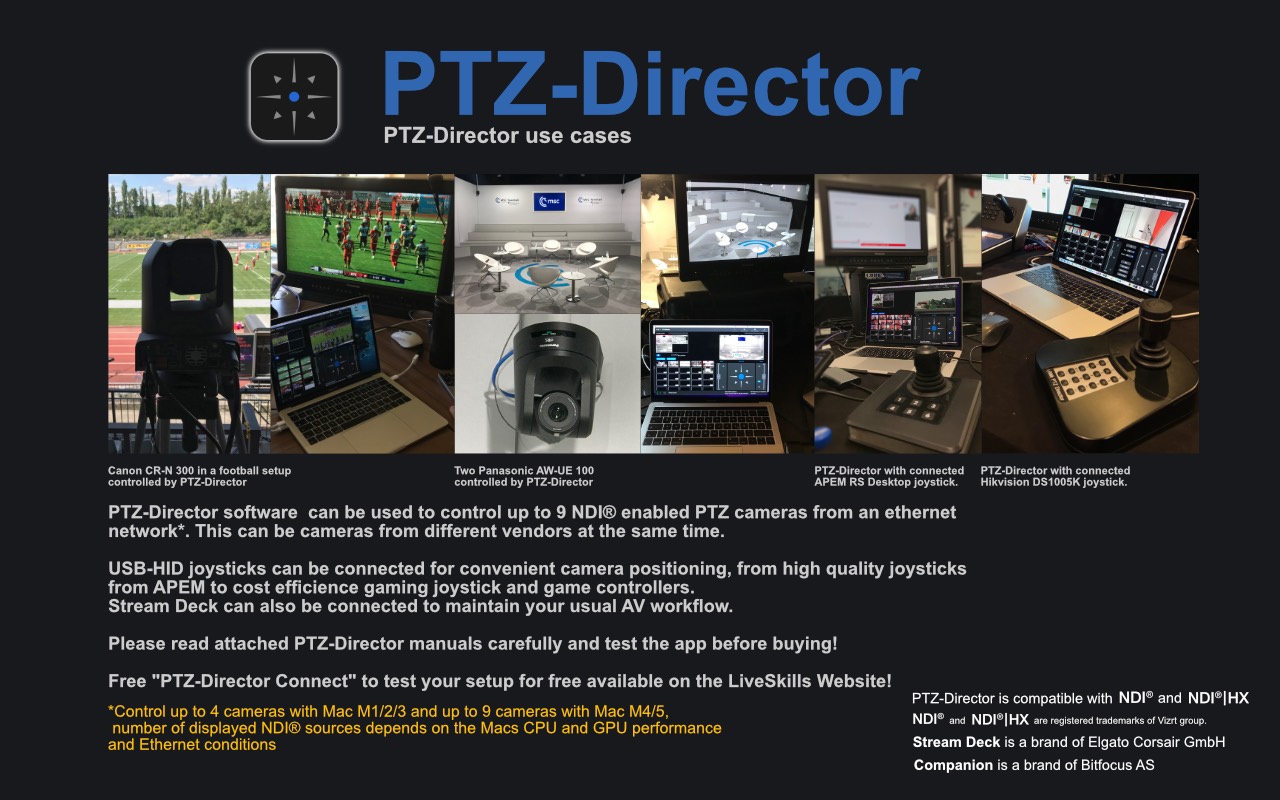
The app was tested with PTZ cameras from different vendors, such as Newtek, Marshall, Canon, Panasonic, Datavideo, Tenveo OBSBot, and Mevo. For some cameras, it might be necessary to install a paid upgrade if NDI® isn't already available.
You can also use for free "PTZ-Director Connect", working with one NDI® enabled camera with all features, which operates for 15 minutes after starting. With it, you can test the connection to your camera and your joystick or game controller as well as your Stream Deck. "PTZ-Director Connect" is available here on the LiveSkills website.
All USB-HID joysticks are working, from high-quality "APEM RS desktop" models to inexpensive gaming joysticks. APEM RS Desktop is a high-end joystick, which we recommend. Hikvision security joystick DS-1005K profile is also installed in the app, and although the joystick has only 7 steps resolution, you can use it to work very precisely.
Game controllers were tested from major console manufacturers.
Not every camera provides control of all values via NDI® interface; this is due to the different levels of NDI® integration by the vendors. Some color, HDR, LUT, and gamma settings are often only available on the camera's local website. The user can open it directly in the app after selecting the desired browser one time in the app settings.
Some camera websites can't be displayed on Safari or internal web browsers, due to their optimization for other browsers like Chrome. We recommend selecting a browser in the app settings like Google Chrome or Firefox to open the camera website.
Working with NDI® enabled networks can be challenging due to different setups with unmanaged / managed switches, Unicast / Multicast NDI®. We recommend to start testing with only cameras, a router, an unmanaged switch, a laptop running "PTZ-Director", and NDI® Unicast settings in the cameras. When your setup is working fine, you can add managed switches like Netgear or Ubiquity or other managed switches, if this is standard in your production environment.
We tested with simple Gigabit switches from Netgear, TP-Link, as well as high-end switches from Netgear and Ubiquiti.
PTZ-Director is compatible with NDI® and NDI®|HX. NDI® and NDI®|HX are registered trademarks of the Vizrt group. Stream Deck is a brand of Elgato Corsair GmbH. Companion is a brand of Bitfocus AS
MADE IN BERLIN

LiveSkills is dedicated to combine the power of broadcast equipment with the ease of use and the mobility of iOS devices. We have a long history in both, software development for iOS and macOS as well as broadcasting events to a worldwide audience. Our products have already proven their practicality in many live events and offer a low-cost, reliable and satisfying solution.
© 2023 LiveSkills Menssen & Ebelt GbR